A model and dimensioned views
The 3D model responds to your dimensions, timber and roof choices. The 2D views describe the project's geometry; they are not approved construction drawings.
Free · no account needed
Set your pergola's dimensions, timber and roof covering. Explore the 3D model, review estimated quantities and download a PDF to help prepare your project.
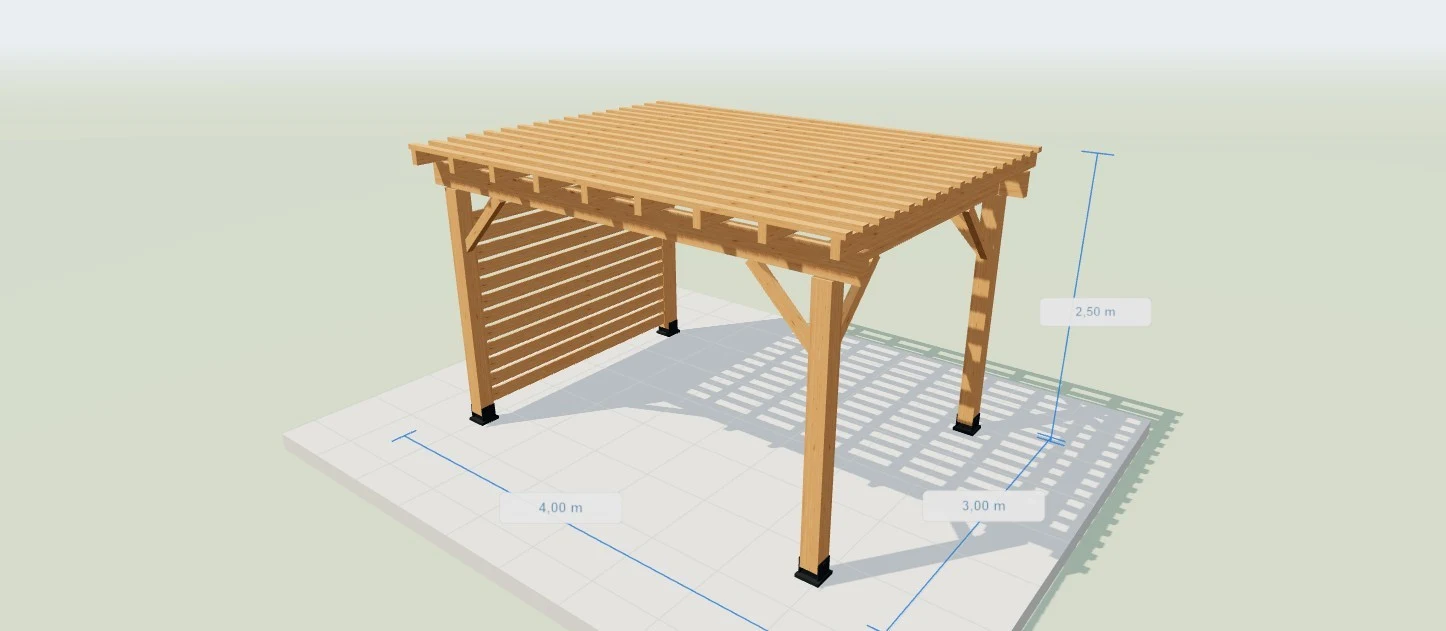
Drag to rotate · Pinch to zoom
An editable starting point, not an approved construction design. Member sizes, connections and anchors still need checking.
Choose freestanding or wall-mounted, then enter width, depth and height for your available space. Adjust the roof covering, side screen and lighting to suit your idea.
Rotate, zoom and show dimensions. Top, front and side views, plus the exploded view, help you understand the parts in the model.
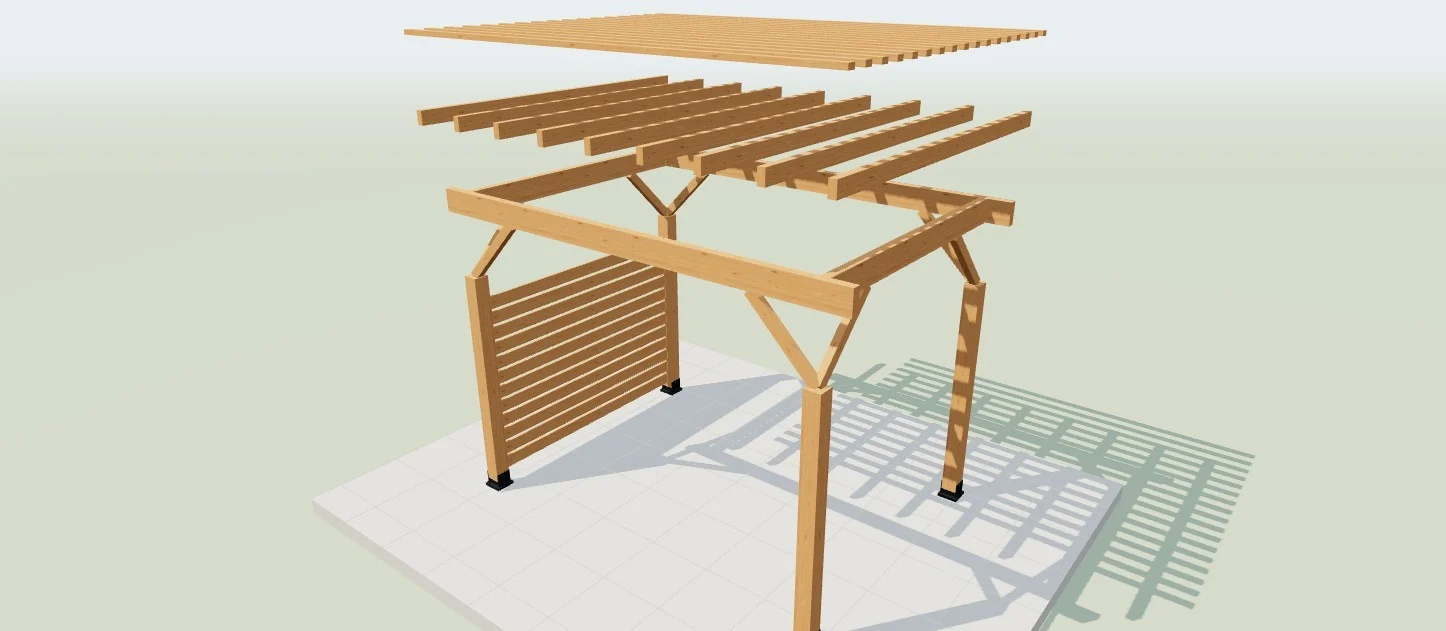
Check the timber quantities and fastener schedule. Edit prices and allowances; leave unresolved items marked “To specify” until their requirements are confirmed.
Save a draft in this browser to return to, or download a PDF with the plans, materials, budget and checks still required.
| Part | Qty | Length (mm) | Section (mm) (mm) |
|---|---|---|---|
| Posts | 4 | 2060 | 140 × 140 |
| Beams | 2 | 4000 | 75 × 200 |
| Side beams | 2 | 2445 | 75 × 200 |
| Knee braces | 8 | 778 | 60 × 80 |
| Rafters | 9 | 3000 | 60 × 120 |
| Roof slats | 17 | 4000 | 70 × 40 |
| Screen slats | 12 | 2380 | 120 × 22 |
Geometric lengths, excluding tenons, notches and cutting allowances. Timber allowance is by volume, not optimized stock lengths.
The 3D model responds to your dimensions, timber and roof choices. The 2D views describe the project's geometry; they are not approved construction drawings.
See counts, displayed cross-sections and geometric lengths for the modelled parts. Use them to estimate requirements, not as an optimised cutting layout for stock timber.
Estimated quantities are kept separate from details still to be specified. Structural fastener products, sizes and anchors must suit the actual substrate and loads.
Costs follow your entered prices and allowances. Hardware remains an editable lump-sum allowance, not a total of unit prices from the fastener schedule. This is not a supplier or installation quote.
A planning and visualisation tool, not a structural assessment. Displayed member sizes do not establish resistance to loads, wind or snow. Have foundations, connections and anchors checked before construction.
It is a preparation pack containing views, estimated quantities and assumptions, not an engineered design. Have the structure, foundations and connections checked by a suitably qualified professional before ordering or building, and follow the selected products' instructions.
No. Anchor selection depends on the ground or wall substrate, loads and products. Unknown details remain “To specify”. An existing deck or slab is not automatically a suitable structural support for a pergola.
They are geometric lengths of the modelled parts. They do not specify every joint, notch, angle or fabrication allowance. Check them before ordering or cutting; the tool does not provide an optimised workshop cutting plan.
Saving keeps one draft in this browser on this device. It is separate from “My projects”, requires no account and is not synced across devices. Clearing browser data may delete it.
Your pergola draft is saved locally in this browser without an account. It does not sync across devices. Download the PDF if you want to keep a document of your configuration. Privacy